
CASTING DIRECTOR: How do I manage schedules?
Edited
This article explains how to modify and manage audition schedules for an active project.
Schedule Management
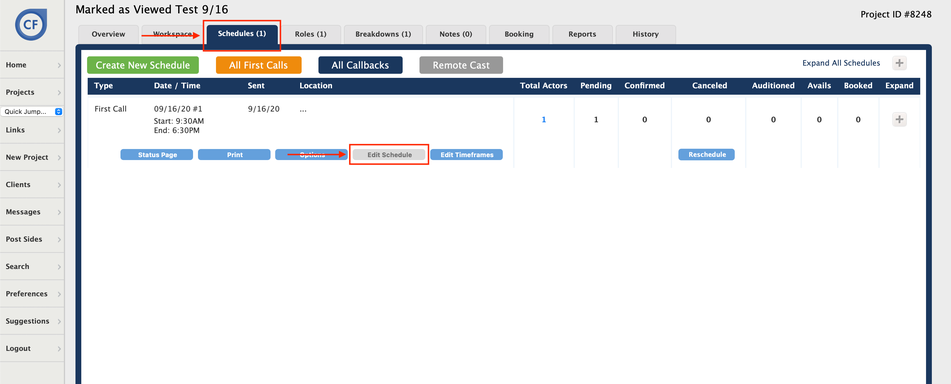
Open the desired active project.
Click on the Schedules tab.
Click on the Edit Schedule button to modify the desired schedule.
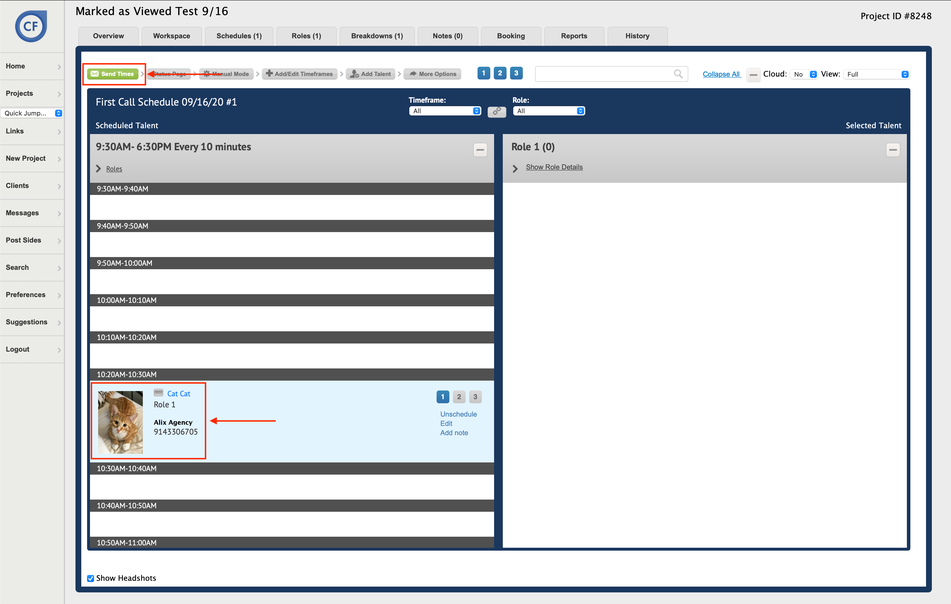
Double-click on the talent to remove them from the schedule and move them to the unscheduled column on the right-hand side of the page.
Click and drag the talent (up or down) to move them into a different time slot on the schedule.
Click on the Green Send Times button to send out schedule changes to the affected talent.
Castig
Schedules
Auditions
Was this article helpful?
Sorry about that! Care to tell us more?