
CASTING DIRECTOR: How do I view notes attached to self-tape submissions?
Edited
This article explains how to view notes attached to self-tape submissions. Talent can now include a note with their self-tape, which helps when you need additional information from them alongside their video.
Viewing Talent Notes
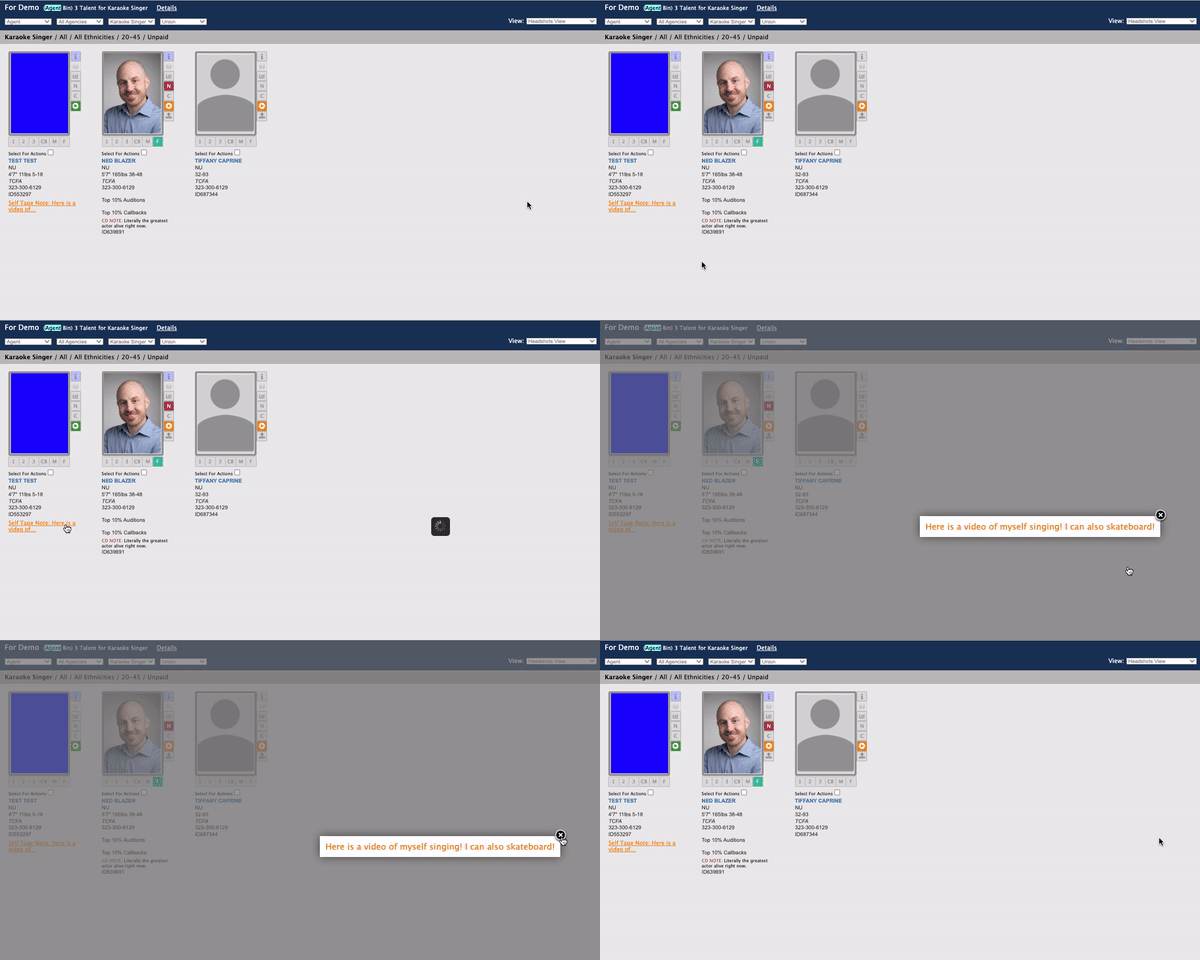
If a Talent adds a note with their self-tape submission, the note will appear in the orange text under the talent’s profile.
Locate the orange text under the talent's profile.
Click on the text to expand the note.
Casting
View
Notes
Submission
Self-Tape
Was this article helpful?
Sorry about that! Care to tell us more?