
TALENT: How Do I Add or Drop Representation on Casting Frontier?
This article will guide you through the process of adding a new agent or manager to your profile, as well as how to remove representation if your management changes, ensuring your Casting Frontier account is always up to date.
How to Add Representation
Log into your Casting Frontier account and navigate to your Home page.
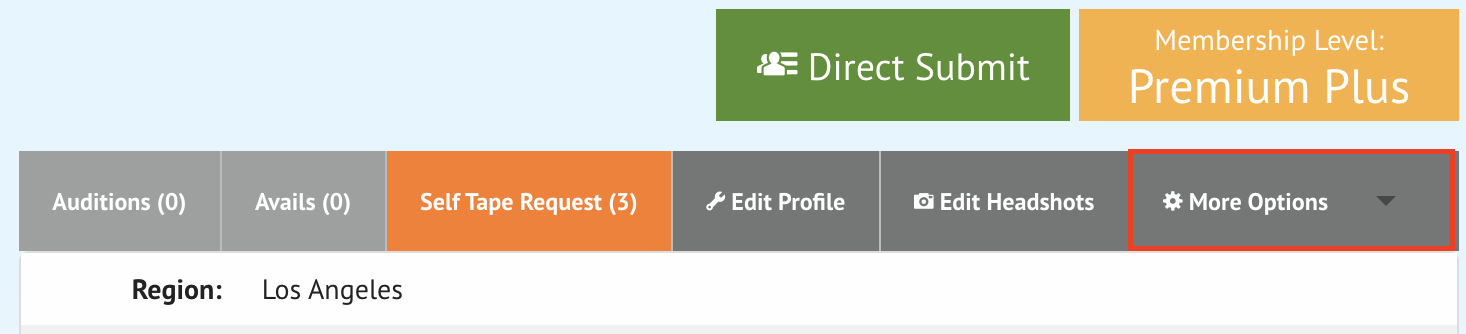
Hover over the More Options dropdown menu.
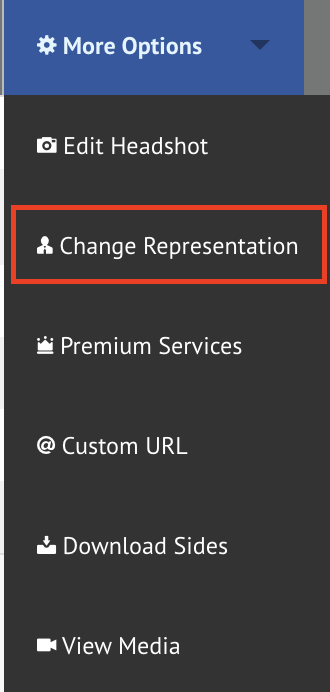
Locate and click the Change Representation button.
Click on the Agent dropdown menu to view a list of representatives in your Region. Select your agent or manager from this list.
Click on the Type dropdown menu to select the category for this representative (e.g., Commercial, theatrical). Note: You may only have one representative per representation type.
Click the Add button.
Once you click add, a request is sent to the representative. While you wait for them to confirm, they will be listed under the Pending Approval area. Once they approve the request, they will move to your Representations section.
How to Drop Representation
Navigate to the Change Representation page using the steps outlined above.
Locate the representative you wish to remove under the Representations area.
Click the Drop button next to their name to remove them from your profile.
How do I update the region on my Casting Frontier account?
How do I Find my Missing Agent or Manager?
If you are unable to locate your agent or manager from the list provided, please follow these steps:
Reach out to your agent or manager directly.
Check with them to verify that the region set on their account matches the region listed on your account.
If the regions do not match, one party will need to update their profile settings to ensure visibility.
Updating Your Region
You cannot update the region on your account by yourself, as this is something that must be updated on Casting Frontier's side.
Who Should I Contact for Further Assistance?
If you or your representation still require assistance after verifying your account regions, our team is happy to help! You can reach out to Casting Frontier through our Live Chat Support or email us at support@castingfrontier.com.