
TALENT: How do I add a note to my self-tape submission?
Edited
When submitting a self-tape, you now have the option to include a note. This feature allows you to provide Casting Directors with additional information about yourself or your submission details alongside your video.
Adding a Note to Your Request
To add a note to your self-tape request, please follow the instructions below:
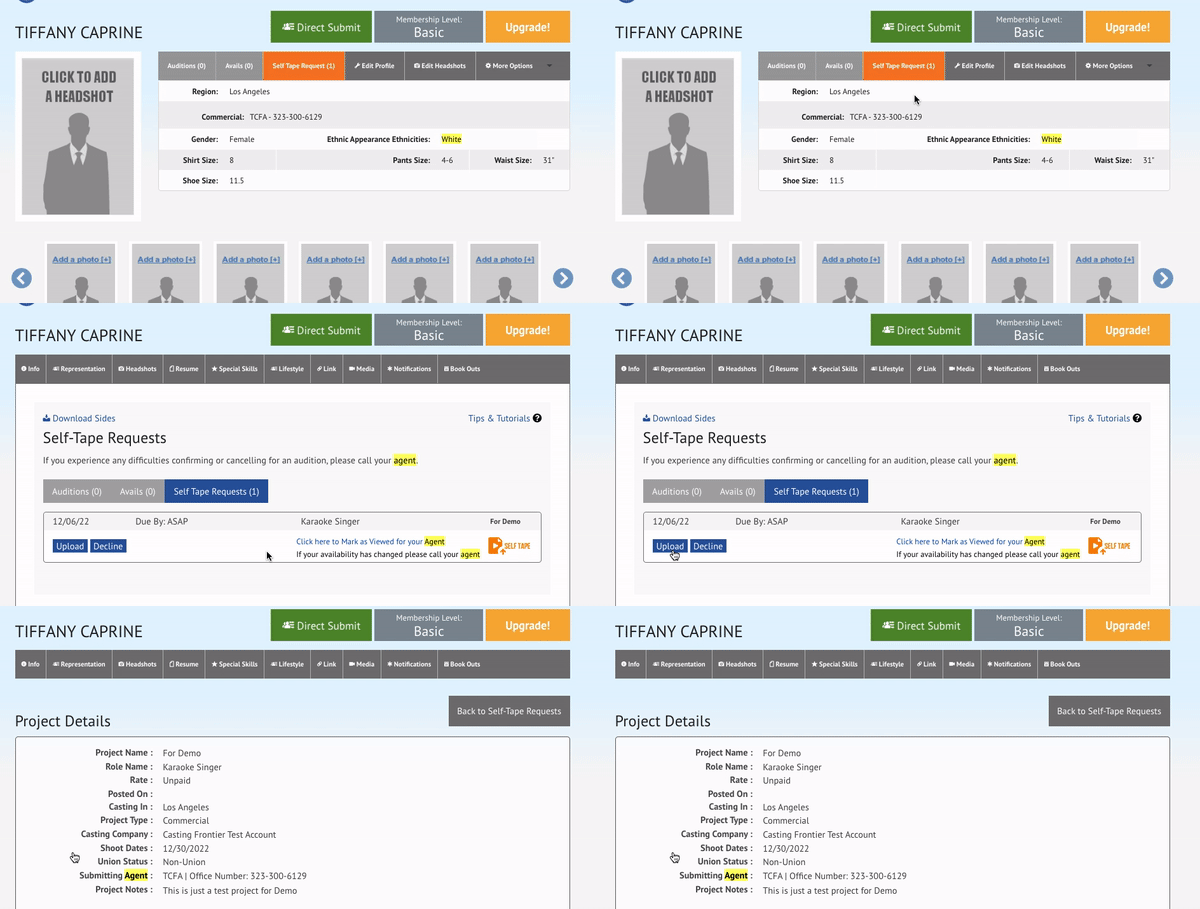
Navigate to Self-Tape Request and select Upload to open the request.
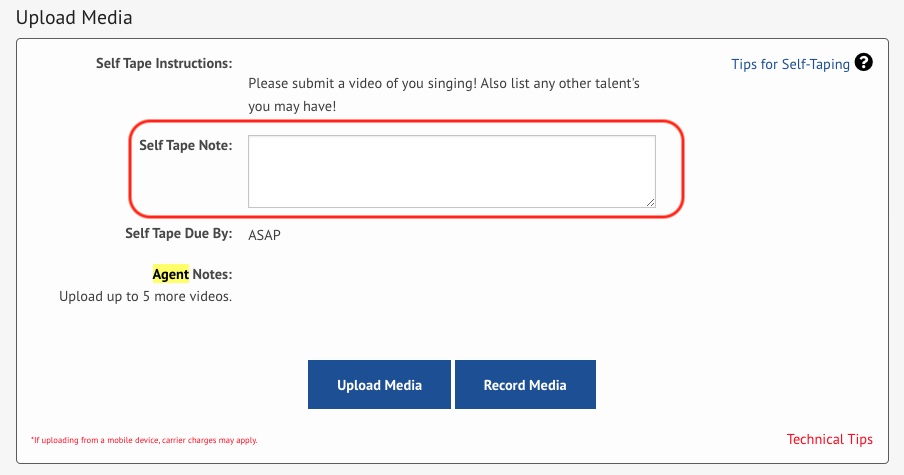
Scroll down to the Upload Media section.
Locate the text box labeled Self Tape Note under the instructions. Use this space to add any additional notes for Casting.
Once you have added your note, upload your Self Tape video.
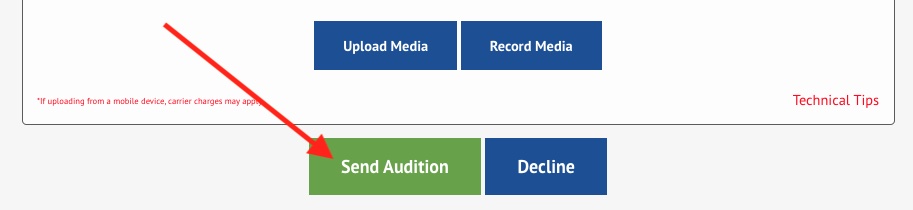
Select Send Audition to finish.
Casting and your Representative will now be able to see the note you have included with your self-tape submission.
Talent
Note
Self Tape
Submission
Was this article helpful?
Sorry about that! Care to tell us more?