
TALENT: How do I Manage my Membership and Billing Information?
Edited
This article explains how you can manage your payment methods and update your billing details directly through your account profile. Keeping your payment information current ensures your subscription remains active without any interruptions.
Updating Your Payment Method
For most accounts, you can update your billing information directly through your profile by following the steps below:
Click on More Options on your home page.

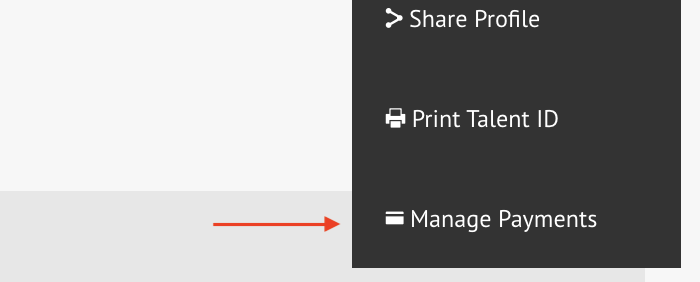
At the bottom of the dropdown menu, select Manage Payments.
You can then click Add Card, and if needed, remove an old one.
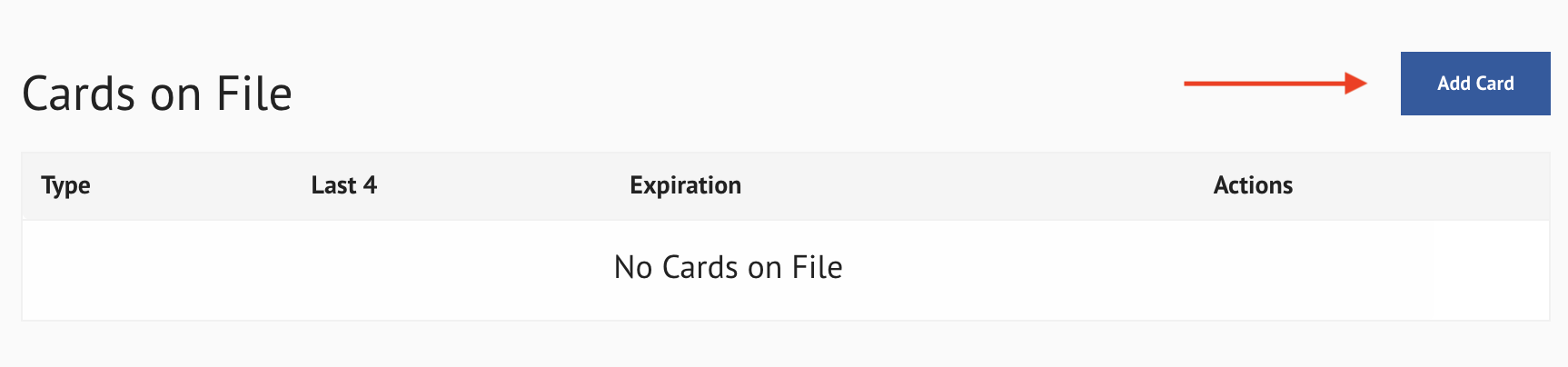
Once you add your new card, you choose Use for Subscription or Make Default.
How to Cancel or Request a Refund
All talent must send an email to billing@castingfrontier.com to cancel their subscription or request a refund.
Talent
Manage
Billing
Membership
Was this article helpful?
Sorry about that! Care to tell us more?